![Time Off Cloud - Flat (720x136)-1.png]](https://support.timeoffcloud.com/hs-fs/hubfs/Time%20Off%20Cloud%20-%20Flat%20(720x136)-1.png?height=40&name=Time%20Off%20Cloud%20-%20Flat%20(720x136)-1.png)
The Account Owner, Admin, and Manager can enter Time Off requests on behalf of each employee.
1) Open the Employee list by selecting the "Admin -> Employees" menu item.
2) Click the "More" button and select "Accrual Balances" on the appropriate employee.
3) Click the green "Time Off" button on the leave type that you would like to adjust. You will be presented with a screen like this...
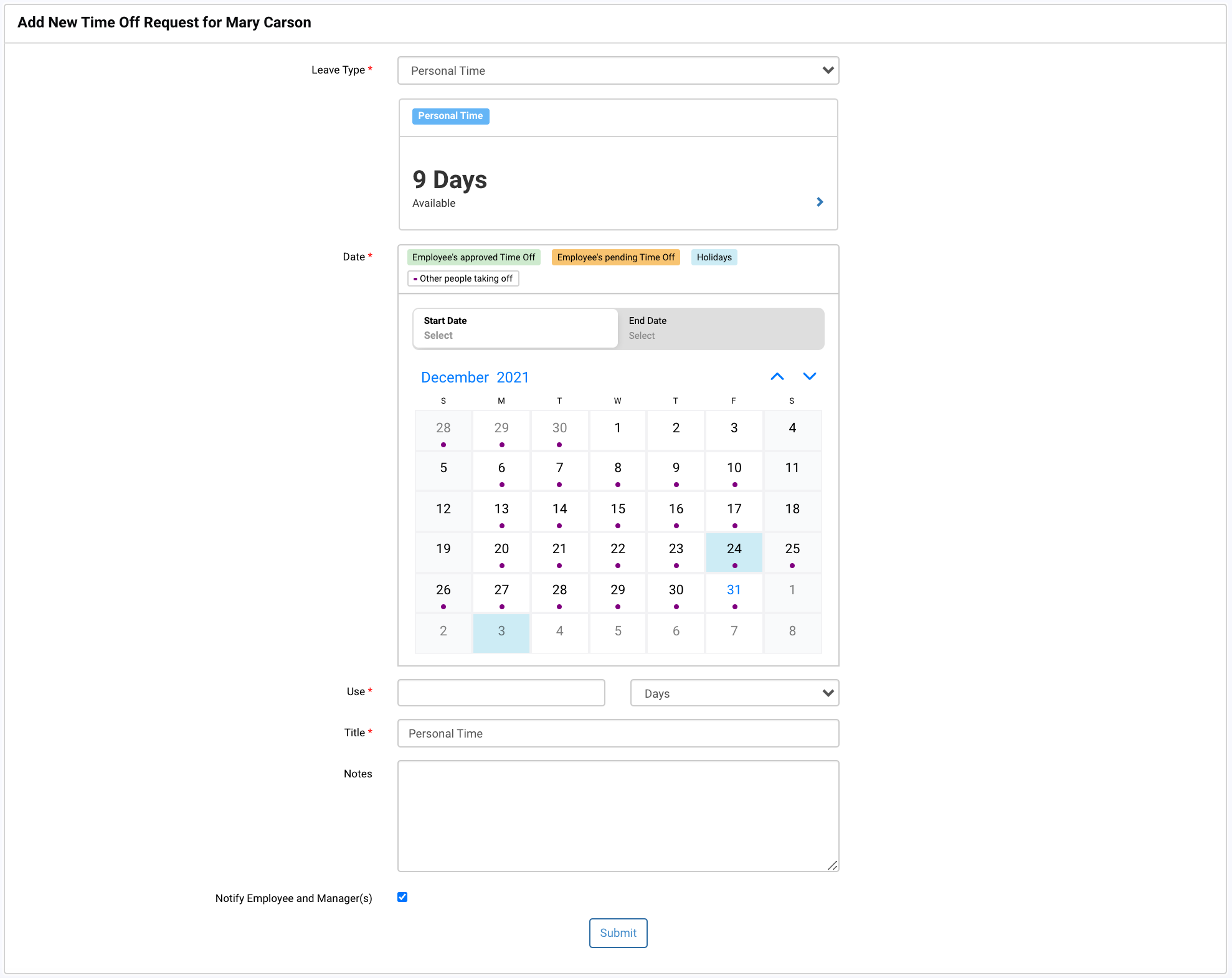
Enter the appropriate information and click the Submit button. You have the option of notifying the employee and their manager(s).